
Driving License: How to Update Your Mobile Number on a Driving Licence Online in India
Driving License: A driving licence today is much more than a document that allows you to legally drive a vehicle. It has evolved into a widely accepted government-issued identity proof that plays a crucial role in many online and offline services. From banking verification and insurance processes to traffic challans, licence renewal, and access to various digital government services, a driving licence is now deeply connected with India’s digital ecosystem.
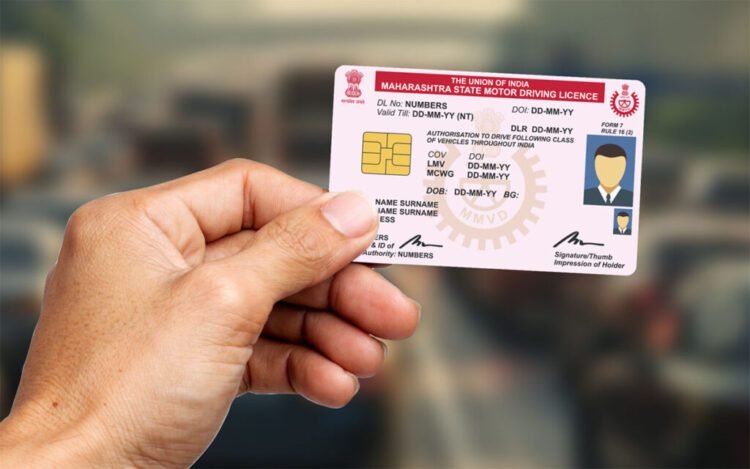
Because of this digital integration, the mobile number linked to your driving licence has become extremely important. Most online services related to transport and identification rely on OTP verification sent to the registered mobile number. If your licence is linked to an old, inactive, or incorrect phone number, you may face unnecessary delays, failed verifications, or complete service interruptions.
The good news is that updating the mobile number on your driving licence is now a simple online process. You no longer need to visit the Regional Transport Office or stand in long queues. With a stable internet connection and a few basic details, you can complete the entire process from home.
Why Updating Your Mobile Number on a Driving Licence Is Important
Keeping your mobile number updated ensures uninterrupted access to digital transport services. A correct mobile number helps you receive OTPs for licence renewal, address updates, duplicate licence applications, and online fee payments. It also ensures that you get timely notifications related to traffic penalties, application status updates, and official alerts from the transport department.
An updated number also enhances security. Since OTP-based authentication is a key layer of protection, having your own active mobile number linked to the licence reduces the risk of misuse or unauthorized access.
Eligibility and Basic Requirements
Before starting the process, make sure you have a valid driving licence issued in India. You should also have access to the new mobile number that you want to link, as OTP verification will be required. Basic personal details such as your driving licence number and date of birth must be entered correctly to avoid errors.
Step-by-Step Process to Update Mobile Number on Driving Licence
The government provides an online facility through its official transport services platform. The process is designed to be user-friendly and can be completed in a few minutes if all details are available.
First, open the official transport services website on your mobile phone or computer browser. Make sure you are using a secure and updated browser for a smooth experience.
Next, navigate to the section related to driving licence services. On the homepage, you will find multiple options related to transport services. Choose the option that is specifically meant for driving licence-related services.
After selecting the driving licence section, you will be asked to choose your state. This step is important because transport services are managed at the state level. Once you select your state, you will be redirected to the appropriate service page.
On the licence services page, look for the option related to updating details or services on a driving licence. Select the option that allows you to update your mobile number.
You will now need to enter your driving licence number along with your date of birth and any other required information. Ensure that all details match exactly with the records to prevent verification failure.
Once the details are verified, you will be prompted to enter your new mobile number. This is the number that will receive all future OTPs, alerts, and notifications related to your driving licence.
After entering the new number, an OTP will be sent to it. Enter the OTP in the given field to complete the verification process.
In some states, a nominal fee may be charged for updating details on the driving licence. If applicable, complete the online payment using the available digital payment options.
Finally, submit the application. Once submitted, your request will be recorded with the transport department.
What Happens After Submission
After successful submission, the transport department processes your request. In most cases, the mobile number is updated within a few working days. You may receive confirmation through SMS once the update is complete. Until then, you can track the application status online if the option is available.
Key Things to Keep in Mind
Always use the official government website to avoid fraud or incorrect updates. Double-check your driving licence number and personal details before submission. Keep a screenshot or acknowledgment receipt of the application for future reference.
Updating your mobile number on your driving licence is a small but essential step toward hassle-free access to digital transport services. Taking a few minutes to complete this process can save you from major inconveniences in the future.